Run your sprinkler shop from one screen.

Inspections, repairs, state forms and routes. The office and the truck, on one page. One monthly price for the whole shop.

DM us DEMO on Instagram. We show it on your own buildings.

Every riser, known

Every riser you look after, on file.

Where it is, its size, its gauges, its last test and what was found. The next visit starts where the last one ended.

Gauge · 76 psi
OS&Y control valve · open
Flow switch · tested
Main drain · 2"
Riser 1 · wet · 6"
7:00 am · the office

The morning board.

  1. See the whole day: the counts, the crew, the map, what's waiting.
  2. Tap a number. Its list opens right on the board.
  3. A waiting job near the crew's run says so. One tap adds it.
The board: counts across the top, open deficiencies and money to bill in red, today's crew, the map of the day and the waiting jobs The pending work orders list, opened on the board from its count The crew's stops for the day beside waiting jobs marked as near their run, with an add button
Every tab

The whole shop, tab by tab.

Search and filters on every list. Buildings on cards or on a map. Settings you change yourself.
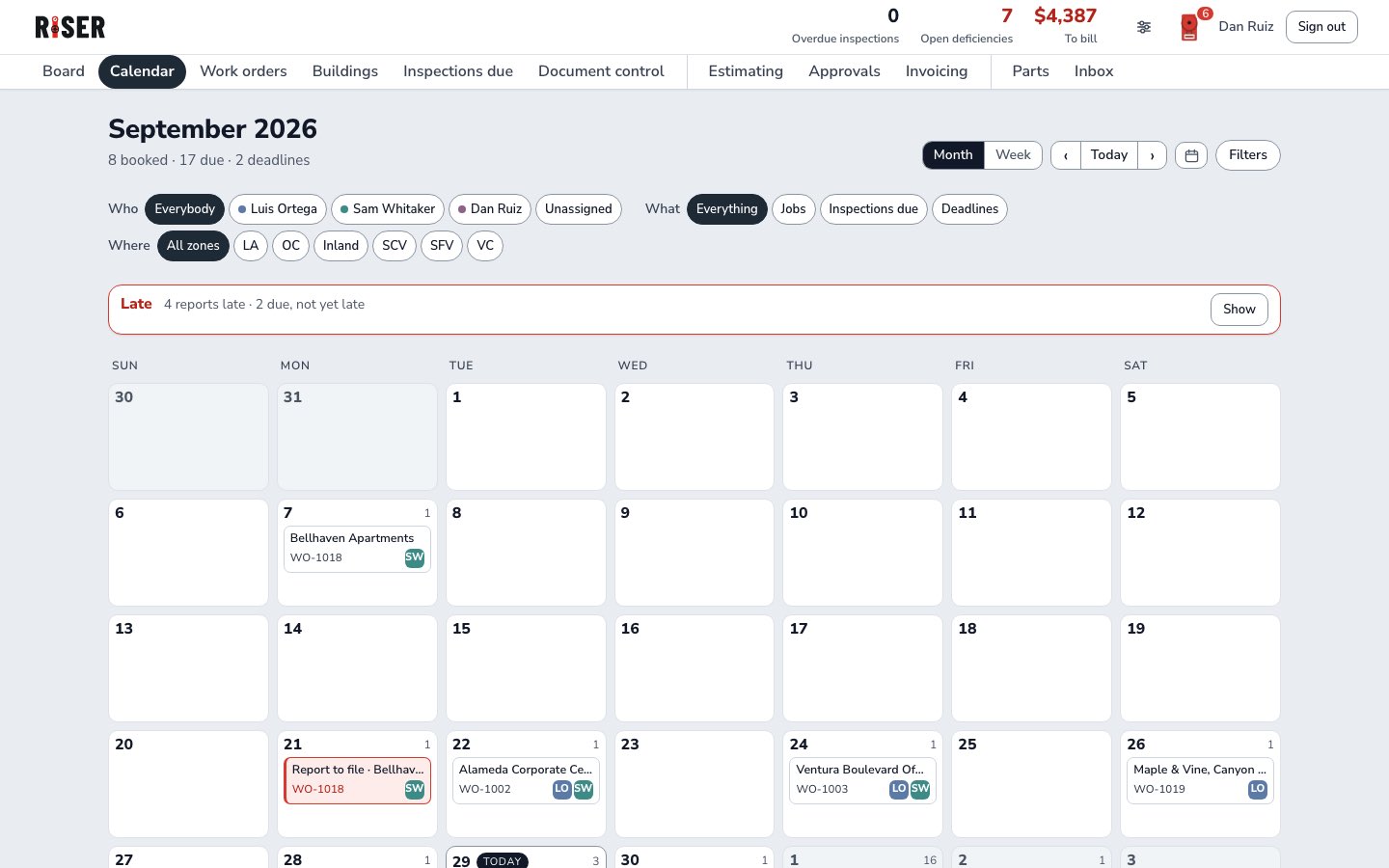
The calendar, month view, with the late strip
Calendarmonth · week · late strip
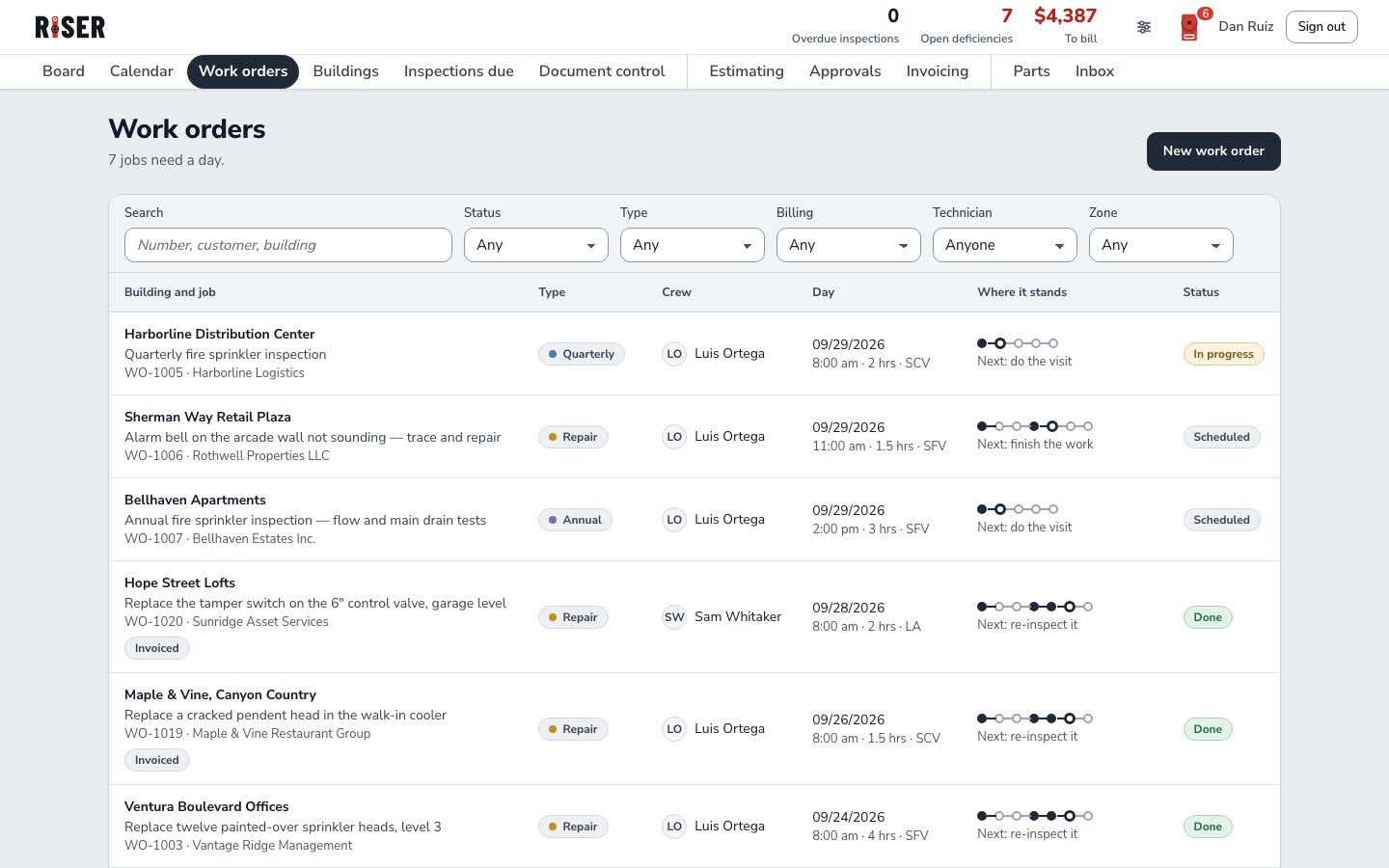
Work orders with search, filters and where each job stands
Work orderssearch · filters · where it stands
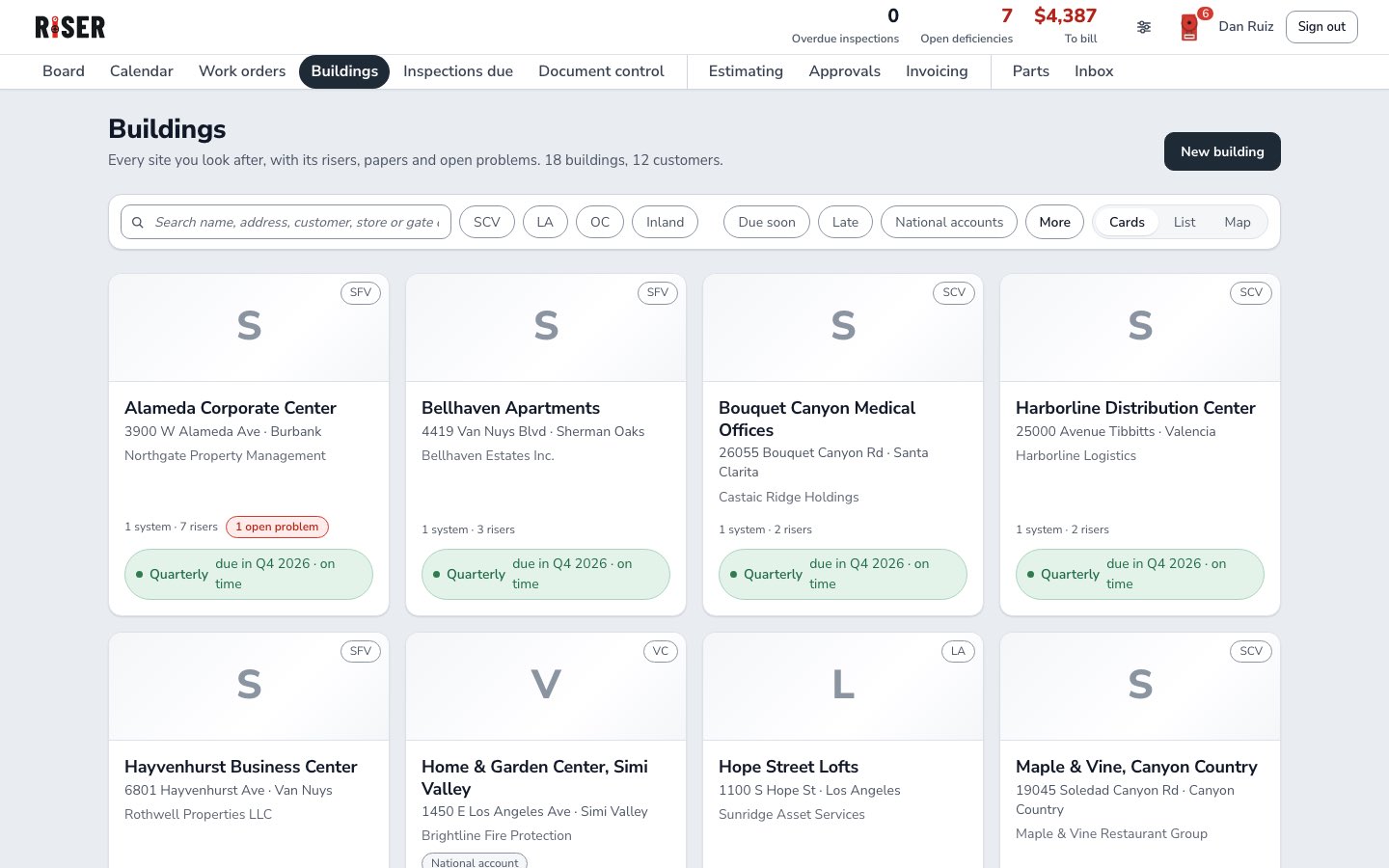
Buildings as cards with their next inspection
Buildingscards · list · map
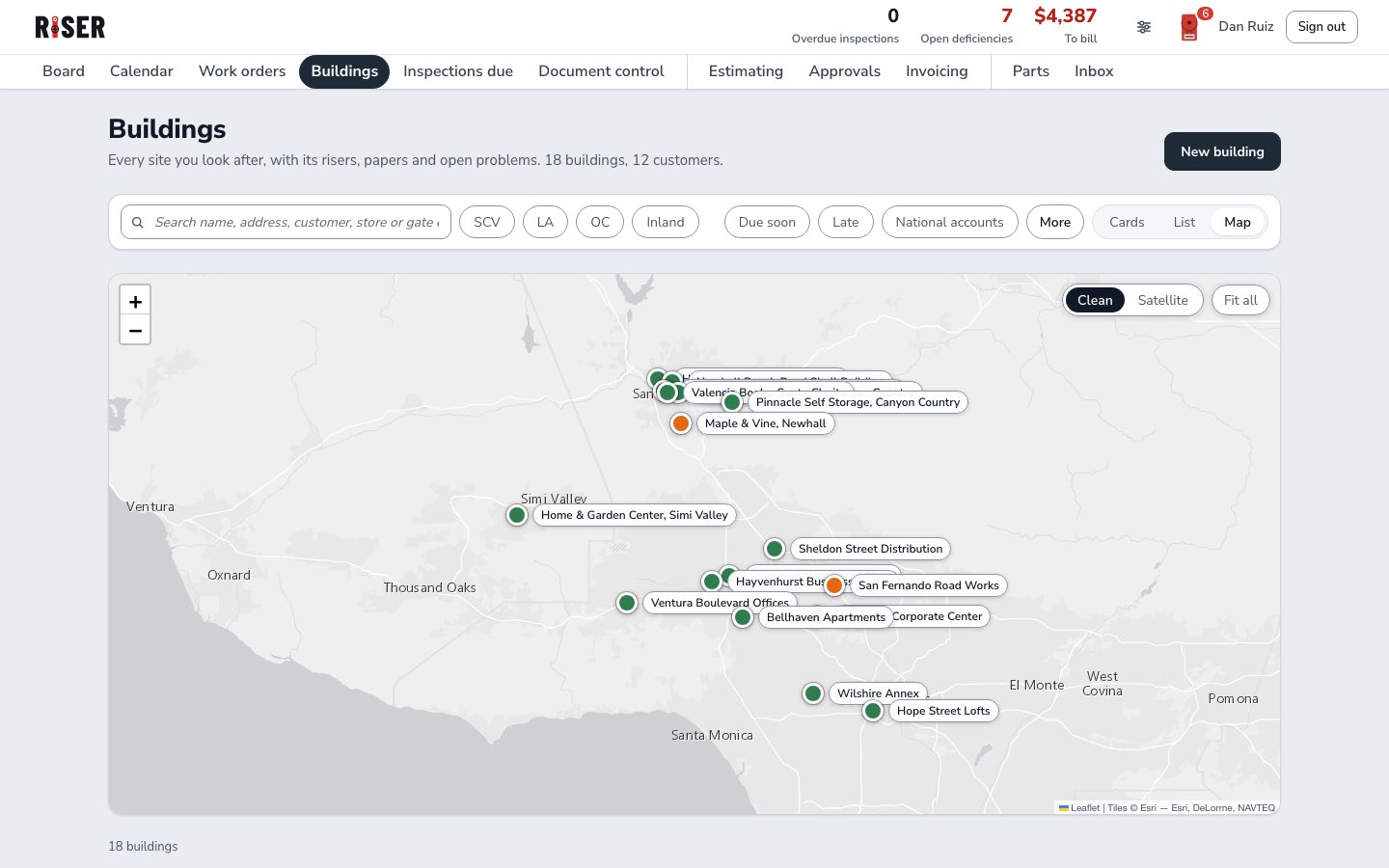
Buildings on the map with labeled pins
Buildings on the maplabeled pins · clean or satellite
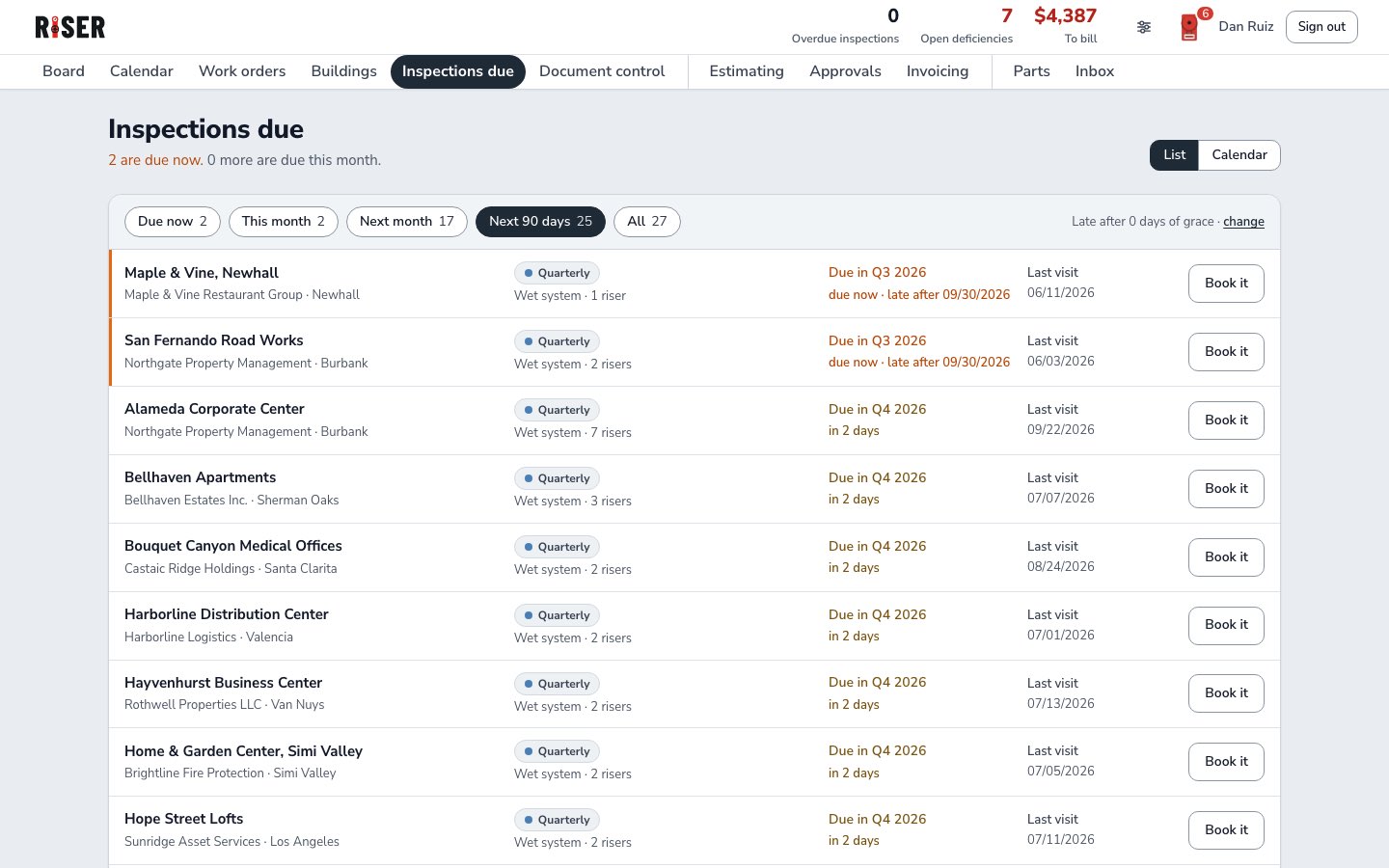
Inspections due, filtered to the next 90 days
Inspections duedue now · next month · next 90 days
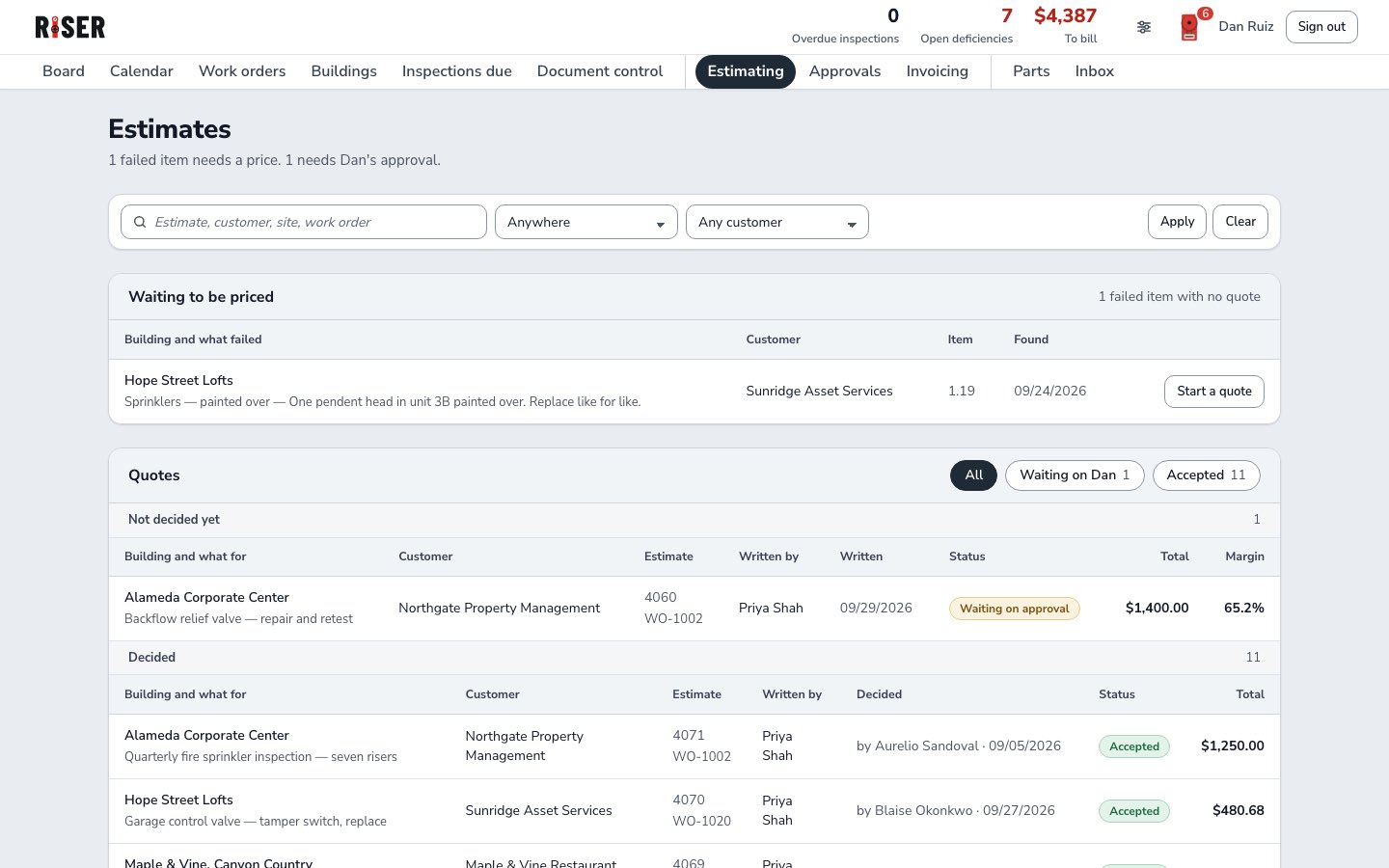
Estimating: failed items waiting for a price, and every quote with its margin
Estimatingwaiting to be priced · quotes · margin
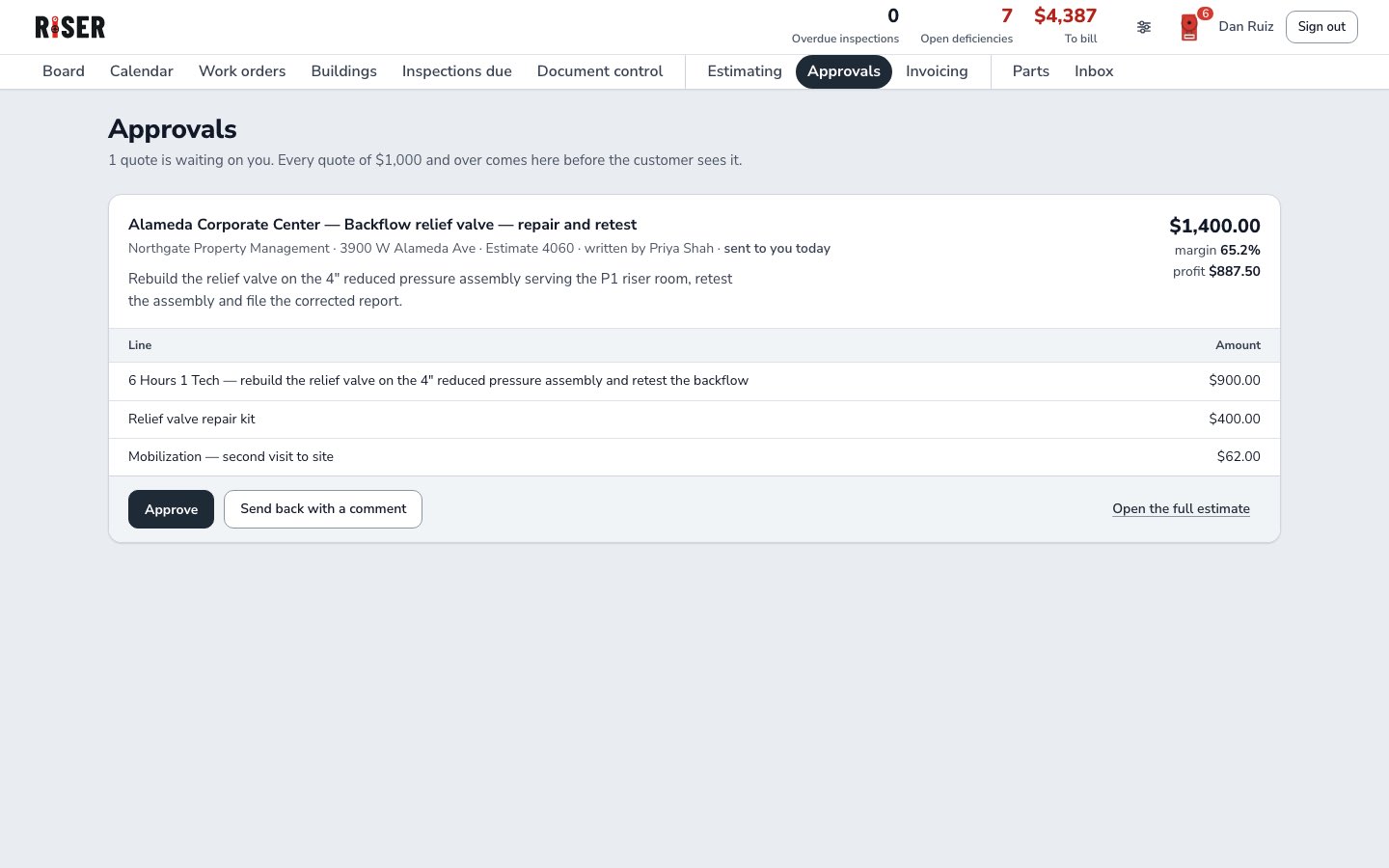
Approvals: a quote waiting for the owner
Approvalsapprove · send back with a comment
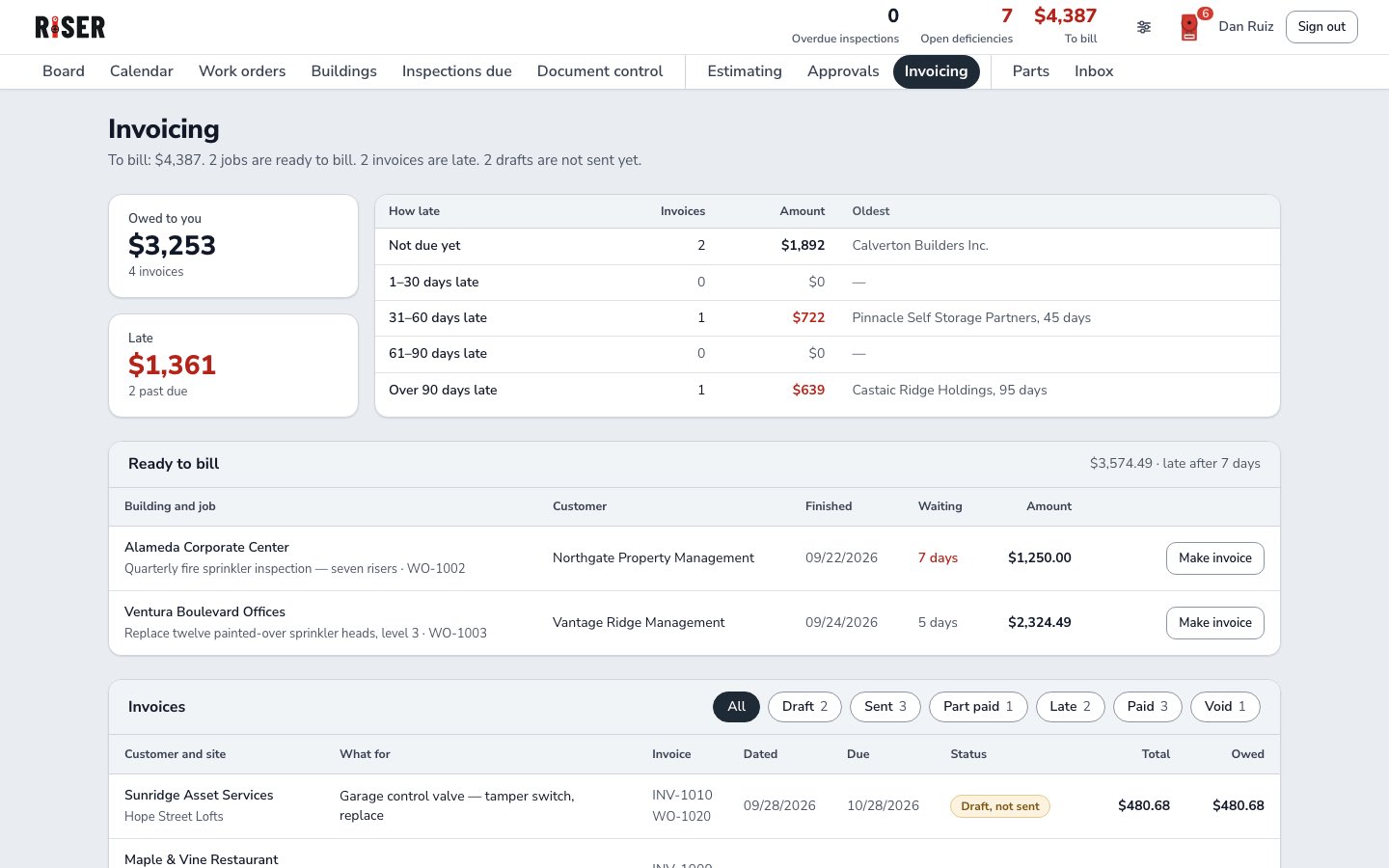
Invoicing: owed, late, ready to bill
Invoicingowed · late · ready to bill
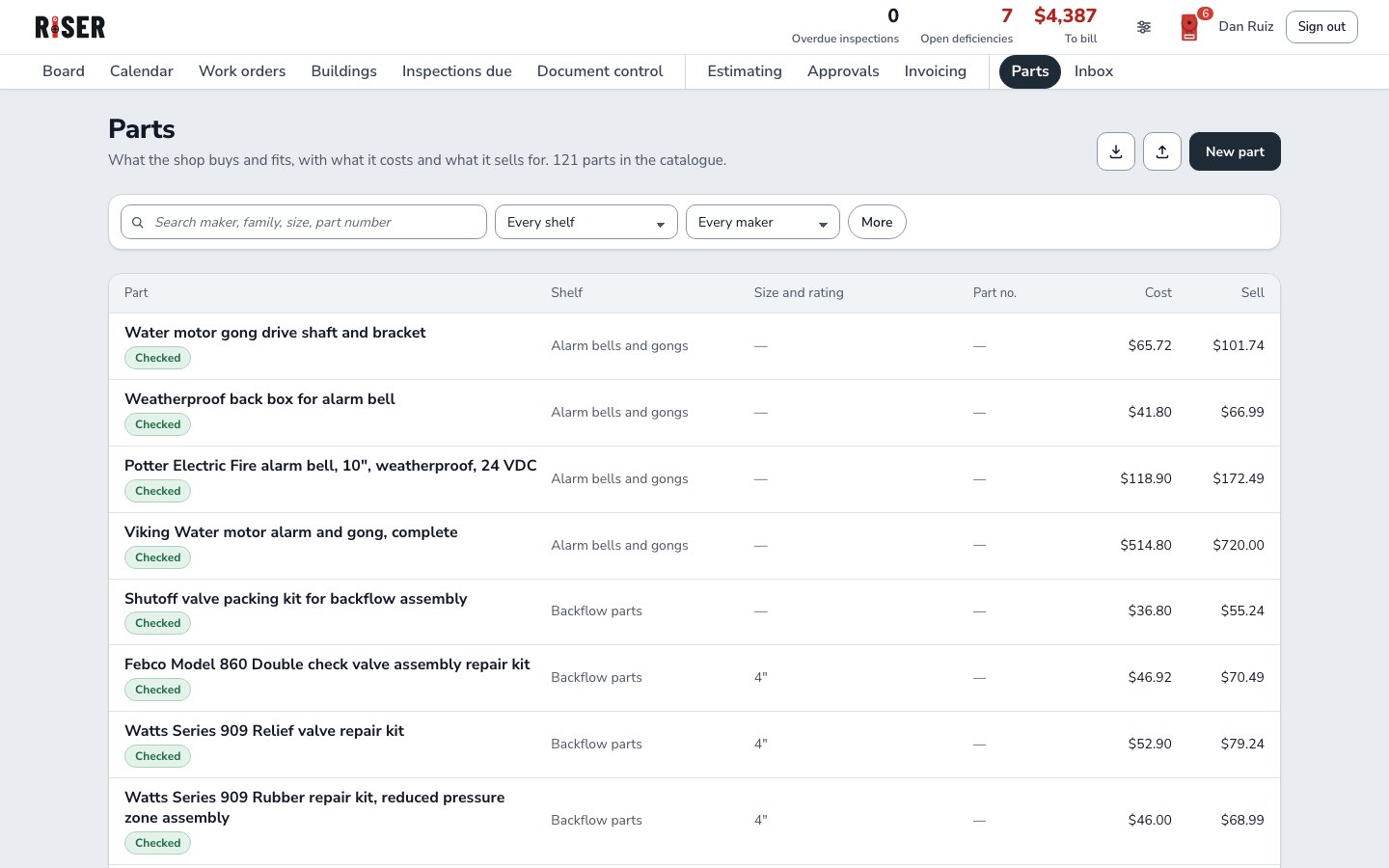
The parts catalogue with cost and sell
Partscatalogue · cost and sell
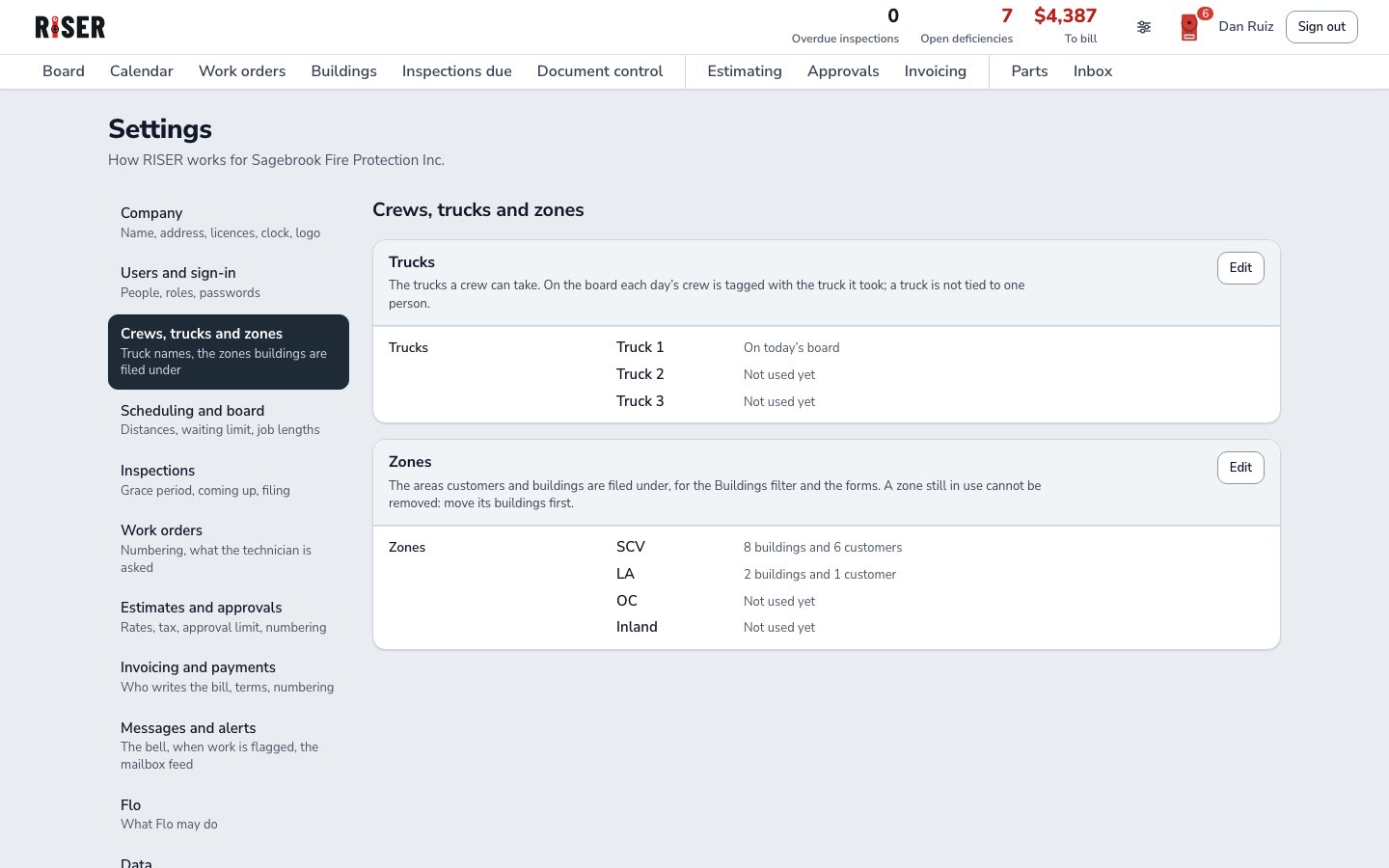
Settings: trucks and zones as rows
Settingstrucks · zones · grace period
The truck

The phone in the truck.

Everything the tech needs. Nothing he doesn't.

  1. Today's stops, in the order they're driven.
  2. Who to ask for, the gate code, how to get in.
  3. Who to call before the test, and the last report for this building.
Today on the phone: three stops in driving order The job: how to get in, who to ask for and the gate code The monitoring company to call, and the past reports for this building
The form

Sign it. The report comes out.

  1. Pass, fail or N/A, line by line, with the NFPA 25 reference.
  2. Gauge readings on a dial. Turn it, or type it.
  3. One signature at the end. It can't be signed with a line left blank.
The quarterly checklist: pass, fail or N/A on each line Gauge readings on a dial: 76 psi below the riser, 71 psi above Sign the report: every line answered, the technician signs
The money moment

A fail is already an estimate.

$1,400
  1. Item 1.16 · FAILED  The relief valve is weeping. The estimate is written from it: photo, code, lines, margin.
  2. Over your limit, the owner approves it first. Then the customer accepts it.
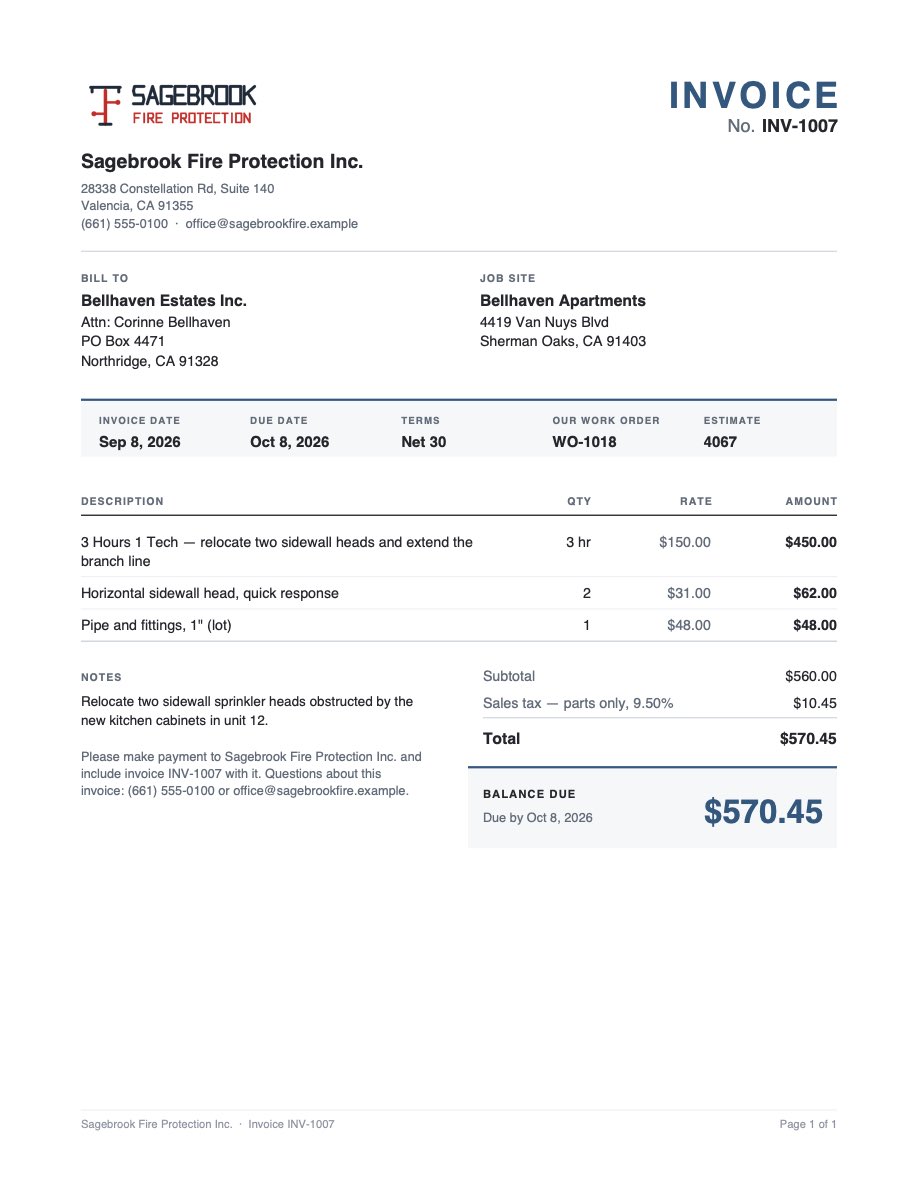
  3. Done and billed. The invoice and the payment, on one page.
Estimate 4060, written from the failed backflow item, with its photo, code and margin Approvals: the quote waiting for the owner, approve or send back An invoice beside its payment panel
The invoice as the customer gets it: the PDF of INV-1007, balance due $570.45
AI rewrite

Write it rough. RISER writes it right.

The tech types what he saw. One tap turns it into what the customer reads, on the scope and on every line.

  1. The tech writes it the way he says it.
  2. Rewrite with AI. It reads the way the customer expects.
  3. Use this, or keep yours. Nothing saves until you say so.
Estimate 4060What the customer reads
relief valve on the 4in rpz weeping bad, needs rebuild kit + retest, second trip
Rewrite with AISends only the sentence and the work type. No customer, address, codes or prices.
Suggestion
Rebuild the relief valve on the 4" reduced pressure assembly serving the P1 riser room, retest the assembly and file the corrected report.
Use thisKeep mine
Inspections due

Quarterly, annual, five-year. Counted from the last one done.

Every building's next one, with your grace period. Book it from the list, or see the month on the calendar. Due now shows orange, late shows red, before it costs you the account.

Quarterlydue Q4 2026
Annualdue 03/2027
Five-yearlate 14 d
Inspections due as a list, due now in orange, each with its last visit and a Book it button Inspections due on the calendar, October
Document control

Every paper, by building. One search.

Reports, estimates, invoices and photos, grouped by building, month or job. What still has to go to the fire department sits on top.
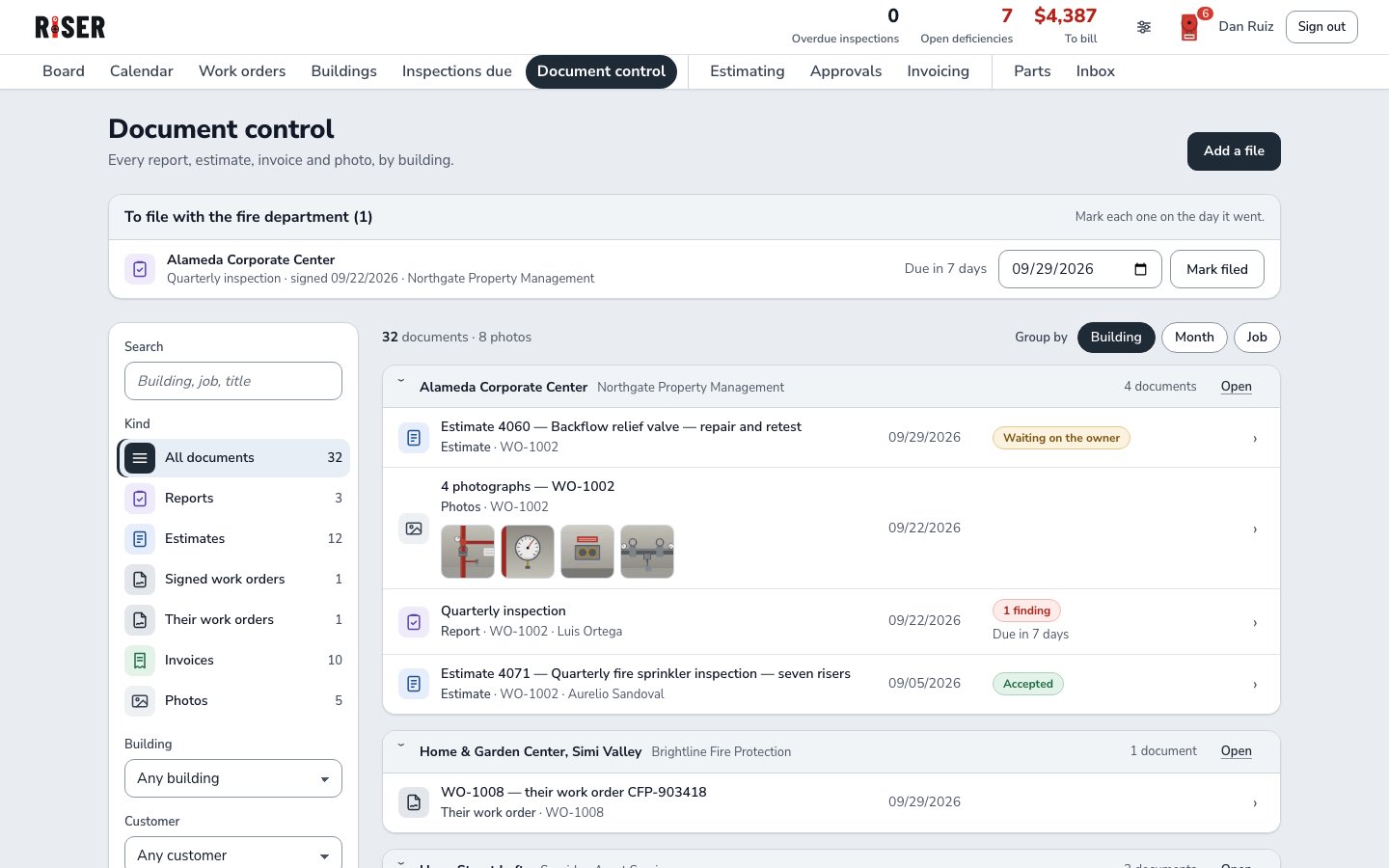
Document control: a report to file with the fire department on top, then every document by building
Meet Flo · the chat agent

Ask Flo. She knows your whole shop.

Plain words, from the truck or the office. Flo reads your board, your buildings and your reports, and answers from your own data.

  • In the office“who is on Harborline today?”
  • In the truck“gate code for Harborline?”
Flo open beside the board: asked who is on Harborline today, Flo answers Luis and Sam on Truck 1, WO-1005 at 8:00 am, on site now, then their next stops
Flo on the phone: the gate code, door code and lock box for Harborline, and who to ask for
What Flo does
  • Answers from your data, not the internet
  • Finds the job, the report, the gate code
  • Knows what's due, where, and who's near
  • Proposes the schedule, you say yes
  • Nothing changes without your ok
  • Shows what it checked
  • Says so when it doesn't know
  • English and Spanish
  • On the phone and in the office
  • Learns your shop's words as you use it
Plans

One price for the whole shop.

Every plan is all of RISER. Pick your size, then ask us for a quote.

Every planAll of RISER
Shop
Crew
Fleet
The office
The morning board
✓
✓
✓
Crews and trucks
✓
✓
✓
Drag a job onto a crew
✓
✓
✓
Add a waiting job to the crew that is near
✓
✓
✓
Map of the day, routes drawn
✓
✓
✓
Calendar, month and week
✓
✓
✓
Work orders
✓
✓
✓
Search and filters on every list
✓
✓
✓
Inspections due, list and calendar
✓
✓
✓
Due now in orange, late in red
✓
✓
✓
Zones and service areas
✓
✓
✓
Buildings on cards, a list or a map
✓
✓
✓
Inbox for incoming work
✓
✓
✓
National-account sheets
✓
✓
✓
Settings: grace period, routing, trucks, zones
✓
✓
✓
The truck
Today's stops, in driving order
✓
✓
✓
One-tap navigation
✓
✓
✓
Gate code, lock box, who to ask for
✓
✓
✓
Past reports on the phone
✓
✓
✓
Pass / fail checklists, line by line
✓
✓
✓
Gauge readings on a dial
✓
✓
✓
Photos on the job
✓
✓
✓
Signature on site
✓
✓
✓
The report filled from the checklist
✓
✓
✓
Parts, from the truck
✓
✓
✓
The money
A fail becomes an estimate
✓
✓
✓
Photo and code reference on it
✓
✓
✓
AI rewrite on the scope and every line
✓
✓
✓
Owner approval over your limit
✓
✓
✓
Customer accepts from a link
✓
✓
✓
What each job earns, margin shown
✓
✓
✓
Ready to bill, in one place
✓
✓
✓
Invoices, with payments recorded
✓
✓
✓
Late and unpaid, tracked
✓
✓
✓
Parts catalogue, cost and sell
✓
✓
✓
The record
Document control: reports, estimates, invoices, photos
✓
✓
✓
By building, by month or by job
✓
✓
✓
Reports to file with the fire department
✓
✓
✓
Risers and systems per building
✓
✓
✓
Reports on file five years
✓
✓
✓
Included
Hosting, updates, backups
✓
✓
✓
Your buildings and history moved in
✓
✓
✓
Help by phone and email
✓
✓
✓
Add a user any time
✓
✓
✓
Fleet only
Customizable to your company
–
–
✓
More than one office
–
–
✓
Zones per office
–
–
✓
Custom forms and reports
–
–
✓
Features built for you
–
–
✓
Data moved in, done for you
–
–
✓
A direct line, not a ticket queue
–
–
✓
Add-on
Flo, the chat agent
Add-on
Add-on
Add-on
Users
up to5
up to10
10+
Book a demo

See it on your own buildings.

Book a demo

Twenty minutes on a call. DM us DEMO on Instagram, bring one building, and we'll show its risers, its due dates and its last report inside RISER.

DM us DEMO
@riser.office on Instagram